As the project moves forward, the information has to move with it.
A version arrives by email, a comment stays in a chat and the approval is mentioned in a meeting. Akuma Proyectos gives you a space where the project keeps one shared reference.
- Status
- Where the project stands and what comes next.
- Deliverables
- Which version needs review and where to find it.
- Decisions
- What is waiting for an answer and who has to give it.
From progress to decision.
Your team
Step 1: Share progress.
The team publishes the current stage, an update and the next step.
Your team
Step 2: Present the deliverable.
The client finds the version they need to review.
Your client
Step 3: Record the answer.
The review is linked to the deliverable: approve or request changes.
A look inside
Real screens from the app with sample data.
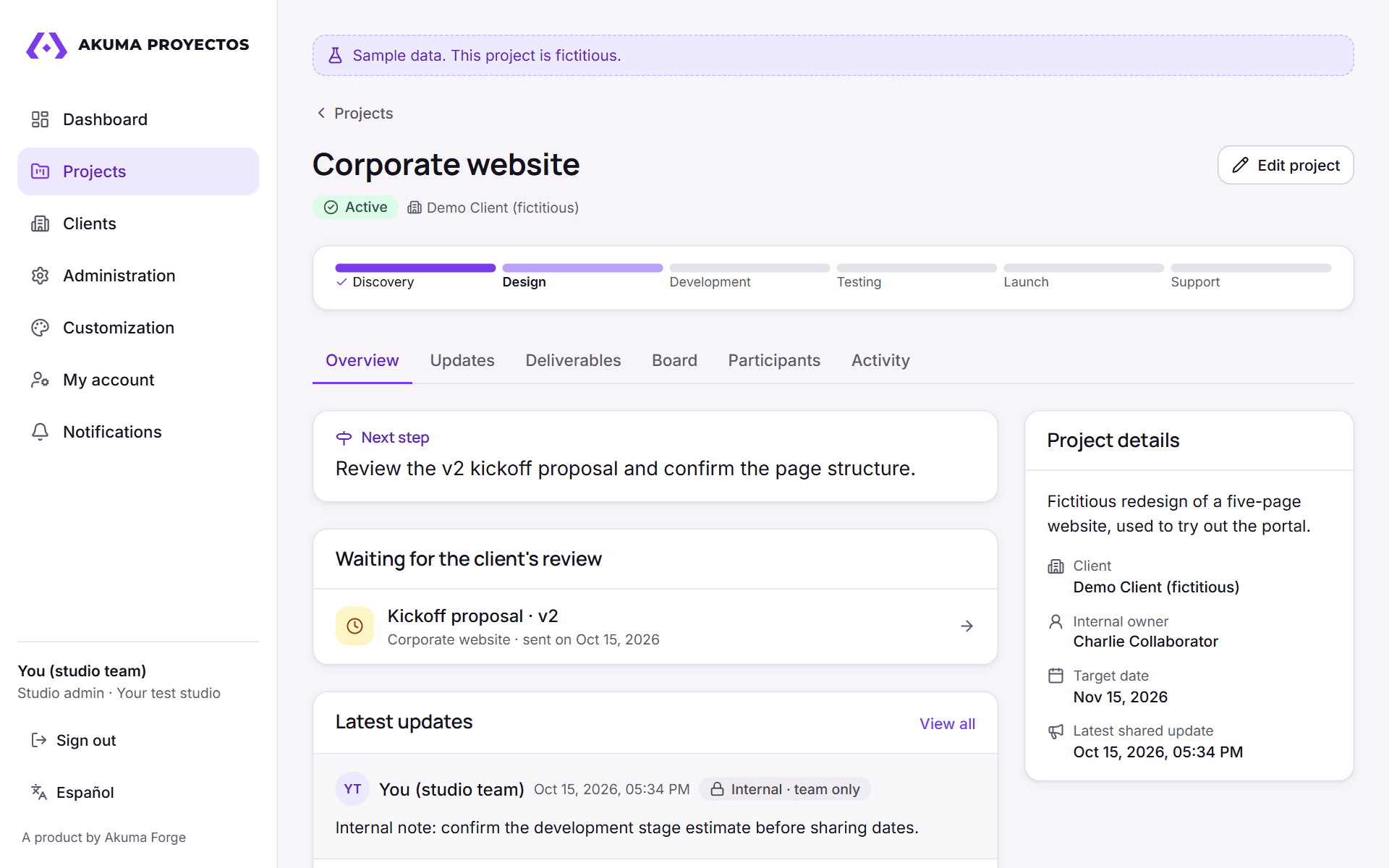
ProjectCurrent stage, next step and what's waiting for review. 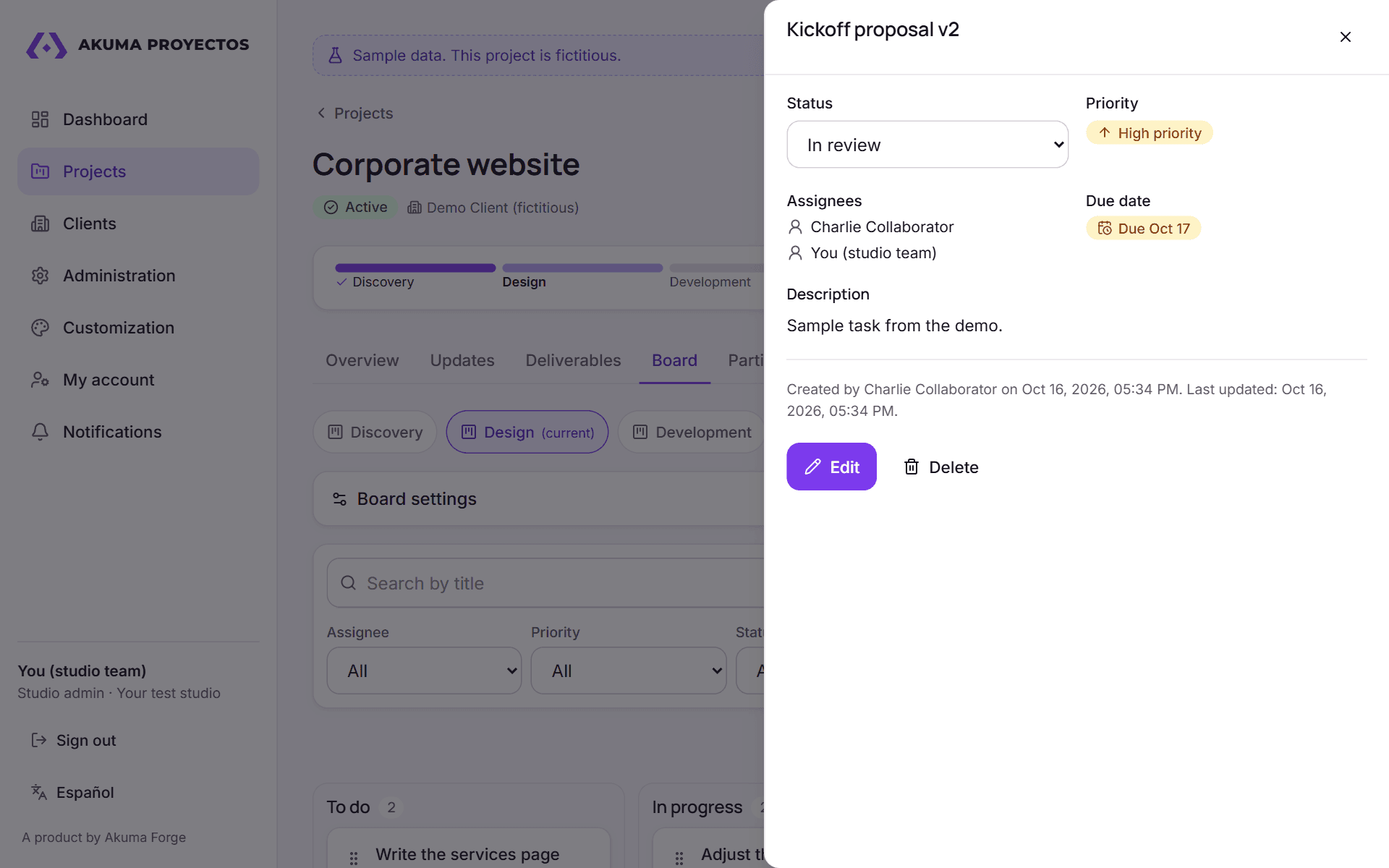
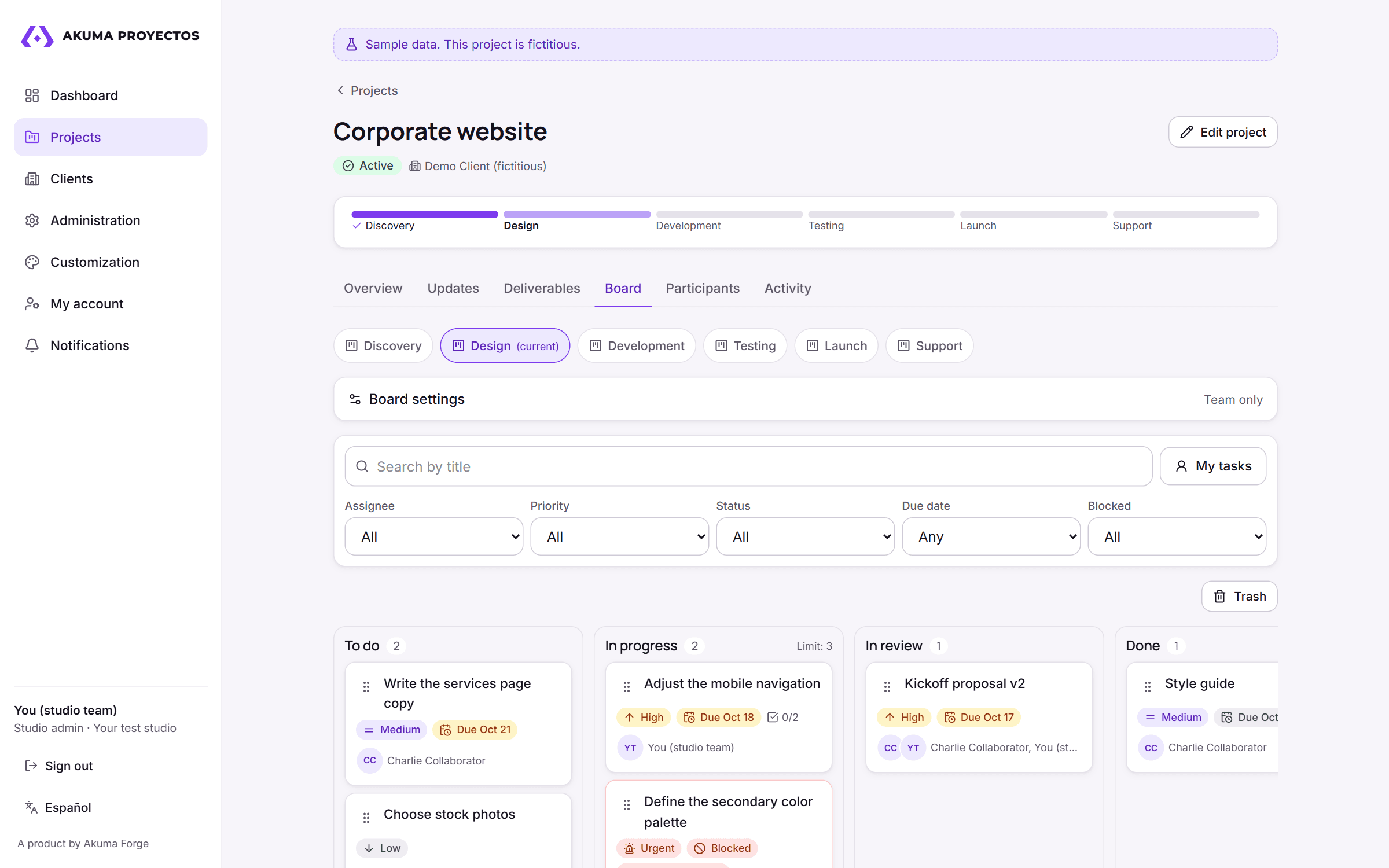
TasksOwners, priority and due date for every task on the board. 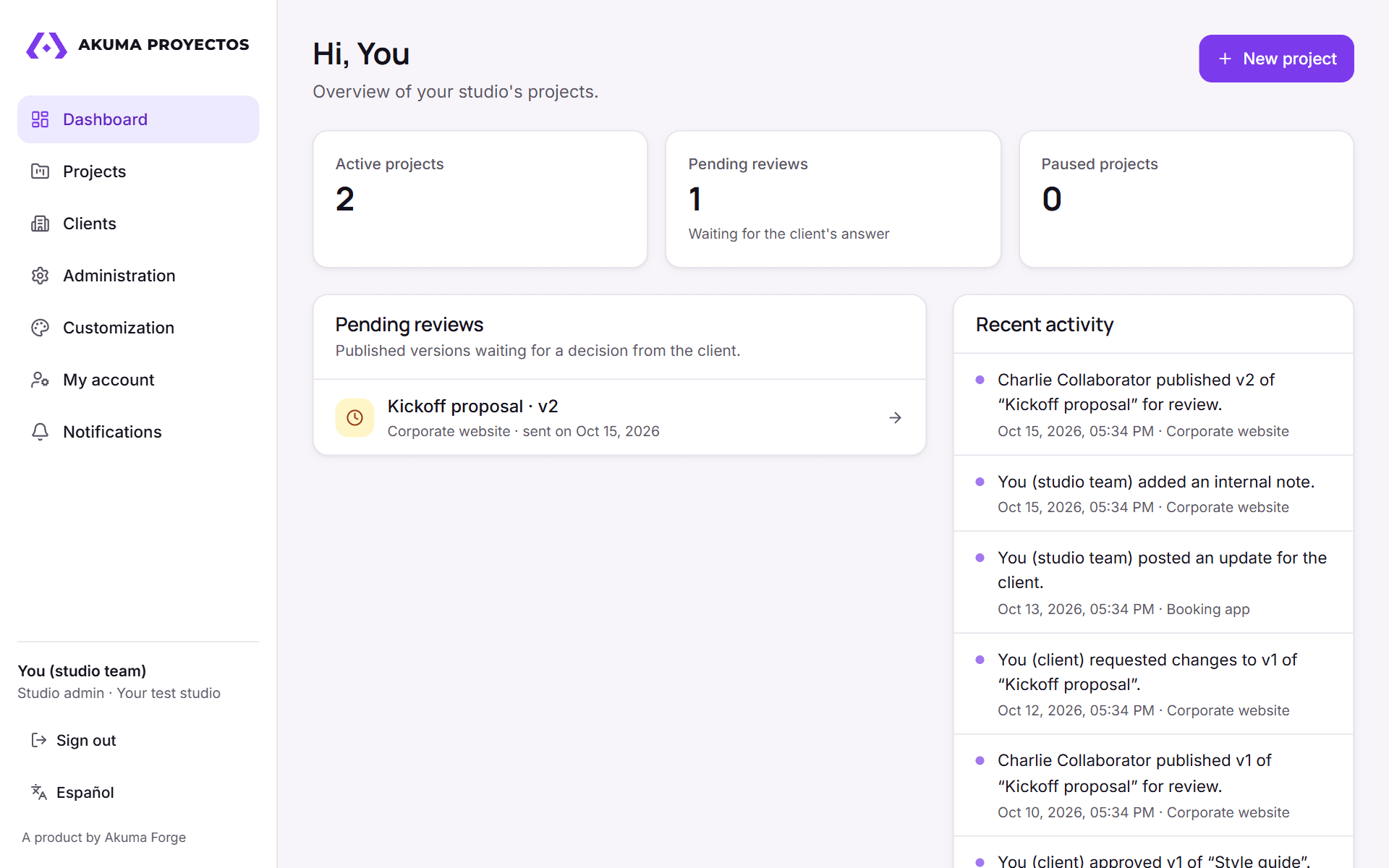
Team dashboardPending reviews and recent activity across all projects. 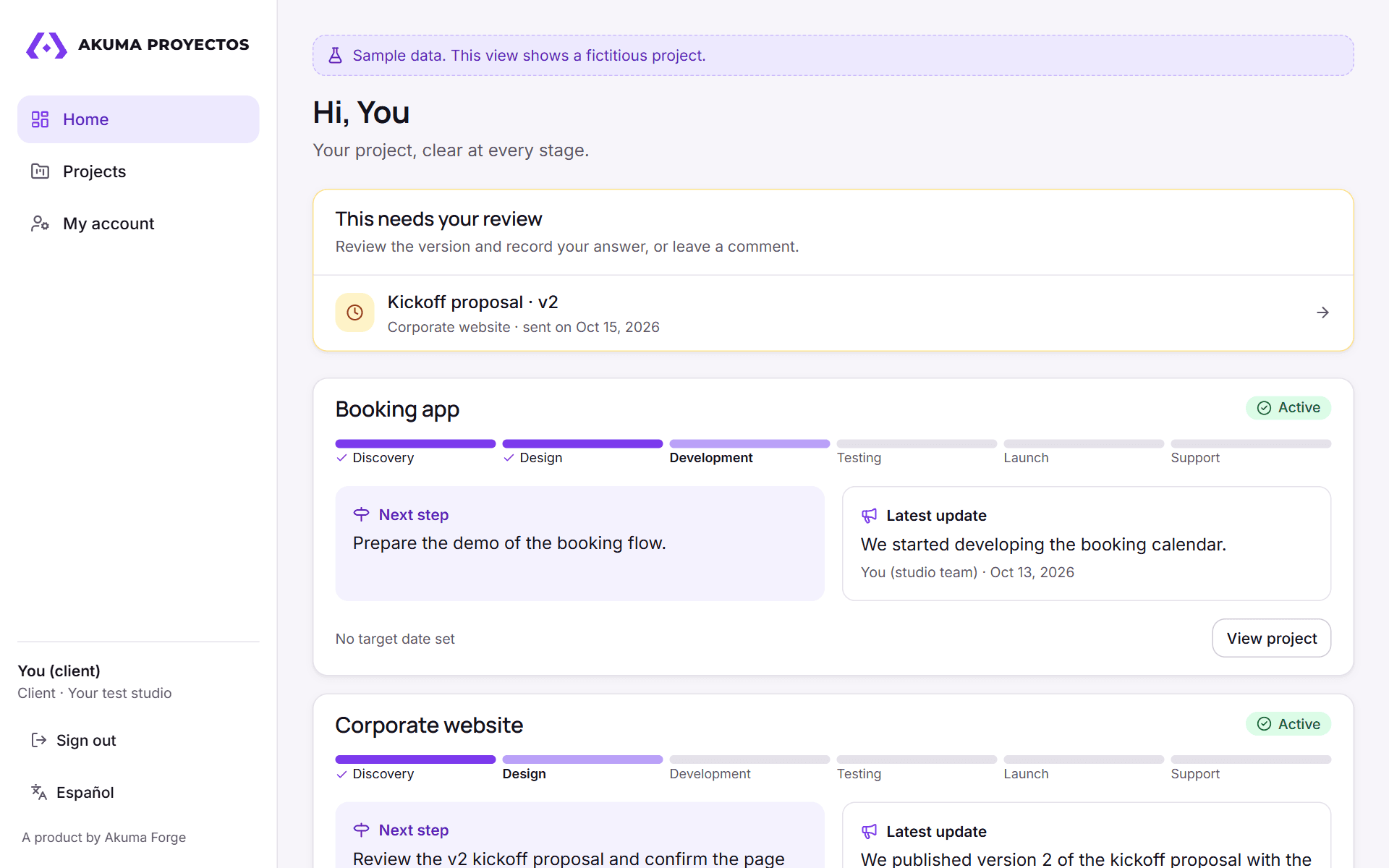
Client viewOnly what's published: progress, deliverables and pending decisions.
Your team organizes. Your client understands.
Built for studios, agencies and freelancers who work with external clients.
For your team
Projects, a task board per stage, deliverables, versions, comments and notifications.
Internal notes are posted separately and only the team can see them.
For your client
A view of their project with published updates, links to shared deliverables and pending decisions.
Try it for 14 days with your real projects.
We create your studio's account and you use it free for 14 days, no card needed. After that, the Basic plan costs $29 a month (up to 5 active projects) and Professional $39 a month (up to 20). Prices in US dollars, VAT included.
- An initial conversation to understand how you work with your clients.
- Free initial setup (up to one hour) for the first five companies.
- Payment by bank transfer or deposit when you decide to continue.
If you don't renew, the account is suspended without deleting your data and is reactivated when you pay.
Tell us how you work with your clients.
Frequently asked questions
Can I use Akuma Proyectos already?
Yes. You can try the demo right now, without signing up. To use it with your clients, ask for your account: the first 14 days are free.
Who is it for?
Studios, agencies and freelancers who need to share progress and review deliverables with external clients.
Do my clients need to install an app?
No. It works in the browser, with views adapted to computers and phones.
Does it replace my internal management tool?
The initial focus is tracking shared with clients. In the initial conversation we look at how it fits with the tools you already use and what records you'd need to keep.
How much does it cost?
Basic: $29 a month, up to 5 active projects. Professional: $39 a month, up to 20. Prices in US dollars with VAT included and a 14-day free trial, no card needed. Together with Akuma Pedidos, both apps cost $49 or $69 a month. For more projects, we prepare a quote.
What does approving a deliverable mean?
Recording that the authorized person reviewed and approved a specific version in the portal. The project's terms should define how that decision is used.